


Ps2 64bit Plugins arm64
3.961.00 Reviews
App Specs
- Version
- 229
- Updated On
- License
- Free
- Downloads
- 1,000,000+
- Developer
- Elegator Dev Inc.
- Categories
- Libraries & Demo
- Platform
- Android
Screenshots
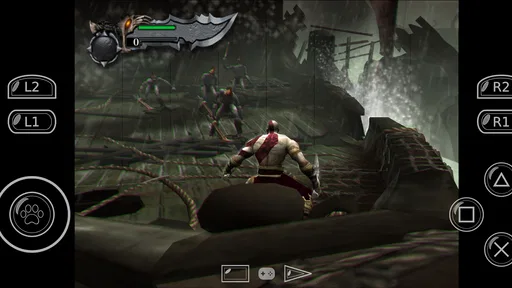
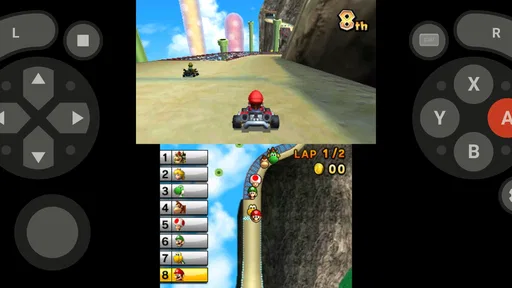
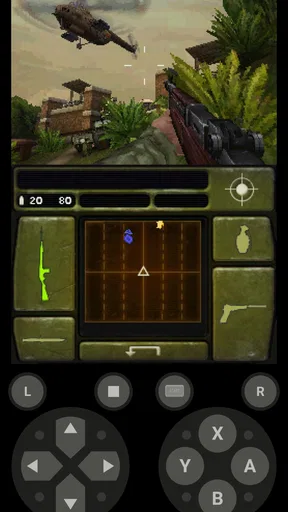
 Analysis by AppCompare
When a phone or tablet is shared at home, a PlayStation 2 setup can become a small group project: one person chooses a game, another wants to see how it looks, and someone else may need the device for something entirely different. Ps2 64bit Plugins arm64 is aimed at a narrow but useful part of that process: supplying plugins for a 64-bit Android PS2 emulator setup. I’d consider it a helper for people who already know they want to run an emulator, not a complete gaming app that gets a household from download to play by itself.
Where it fits in a shared setup
The app is listed in the Libraries & Demo category, and that distinction matters. It is not the emulator, a game collection, or a general-purpose retro game launcher. Its role is to provide PS2 plugins for compatible 64-bit architecture. If one person in the household handles emulator setup while others simply use the device to play, this may be useful behind the scenes, but it is unlikely to be something every family member needs to open or manage.
In an ordinary evening scenario, I’d have the person who maintains the emulator check whether this plugin package is relevant before changing a shared device. That small pause helps avoid treating a plugin as if it were a game or a standalone emulator. It also makes expectations clearer: installing a support component does not, by itself, guarantee that a particular title will run well or that everyone’s preferred settings will be in place.
Keep setup decisions with the device’s regular user
On a phone used by more than one person, emulator settings can affect everyone who plays. I’d keep plugin installation and configuration with the household member who understands the existing setup, then let other users test games without changing several options at once. If a game behaves differently after a change, making one adjustment at a time gives you a much better chance of identifying what helped—or what caused trouble.
This is also a case where a little coordination can save frustration. Before replacing or adding a plugin, note the current emulator choice and settings somewhere the main user can find them. That is a practical safeguard rather than an app feature, and it makes it easier to undo a change if the result is worse. If the device has different users or profiles, keep in mind that emulator files and settings may not automatically be shared between them; check the setup each person actually uses instead of assuming one installation covers everyone.
Age, trust, and realistic expectations
The app has an Everyone content rating, is free, and is developed by Elegator Dev Inc. Its rating averages 3.8 from around 4.8K ratings, with 54 written reviews, and it has over one million installs. Those details give a sense of its broad reach, but they do not tell me whether it will work with a specific emulator or a particular device. I’d treat compatibility and configuration as the practical questions to resolve before relying on it.
For younger players, the main household consideration is less about the plugin itself and more about who manages the emulator and the games used with it. An Everyone rating is not a promise that every game someone might run is suitable for every age. I’d have an adult choose and check the games separately, and keep account or device boundaries in mind when a shared phone is also used for school, messages, or personal tasks.
Worth Reading Before You Choose

EA SPORTS FC Mobile 26 Is a Bigger Football Game, but It Takes Time

Flipboard Shows What News Apps Must Do Beyond the Feed

Switching to Android Auto Means Rethinking Your Driving Routine

Google Calendar Makes a Crowded Week Easier to Manage

Ludo King Makes the Most of the Minutes Between Plans

Baby Panda World Brings Quick Play to Modern Phones, but Its Game Library Feels Busy
Getting Started with Ps2 64bit Plugins arm64
First off, installing the Ps2 64bit Plugins arm64 is pretty straightforward. You’ll need to have an emulator ready, and this plugin works like a charm with popular ones out there. The setup process is a breeze, just follow the in-app instructions, and you’ll be good to go.
Performance and Features
Now, let’s talk about performance. The plugin is optimized to run smoothly on arm64 architecture, which means if you’re rocking a device with that capability, you’re in for a treat. The games run seamlessly, and you’ll notice a significant boost in performance compared to other plugins.
One of the standout features is the enhanced graphics support. Remember those jagged edges in your favorite PS2 games? Well, with this plugin, they’re a thing of the past. The graphics are crisp, and the frame rate is buttery smooth, giving you a fantastic gaming experience.
User Experience
Using the plugin is as simple as pie. The user interface is intuitive, and even if you’re not tech-savvy, you’ll find navigating through the options a walk in the park. Plus, the community support is stellar. If you ever hit a snag, there’s a plethora of forums and guides to help you out.
Another thing I love about this plugin is its flexibility. You can tweak settings to your heart’s content to get the perfect balance between performance and visual quality. It’s like having a mini gaming PC in your pocket!
Choosing it over the usual alternatives
Compared with the usual choices in retro gaming, this app occupies a more specialized place. An emulator is the central tool that runs the games; a plugin package is a supporting piece for that environment. If you are still deciding which emulator to use, I’d start there and confirm its own setup requirements before adding this app. If your emulator already works as expected, installing another plugin just because it is available may add complexity without solving a real problem.
A useful way to approach it is to test one change with one game you already know. Keep the same device, emulator, and game settings while checking the result, then decide whether the plugin has made a practical difference. This is more informative than switching plugins and graphics options together, because you can tell which change affected stability or appearance. It also reduces the chance that a household member’s familiar setup gets lost in a chain of experiments.
There are trade-offs to that tinkering. A visual improvement may come with a heavier workload for the device, while a setting that favors speed may not produce the image you prefer. I would not assume that every game benefits equally, or that a result seen on one device will carry over to another. If your priority is simply pressing play with minimal maintenance, a setup that already runs reliably may be preferable to chasing small visual gains.
Who will get the most from it
I’d recommend considering it if you already use a compatible 64-bit Android device, have a PS2 emulator in place, and are comfortable making or checking a plugin selection. It is a better fit for the person who enjoys maintaining a retro setup than for someone expecting a ready-made catalog of games. The app is free, and version 229 is the current version, so the initial decision does not involve a purchase; the more important cost is time spent checking compatibility and tuning the setup.
I’d skip it if you do not have an emulator, do not know whether your device uses a compatible architecture, or want a simple all-in-one experience. It is also not the right fix for every emulator problem. Slow performance, a game-specific bug, or an awkward control layout may have a different cause, and a plugin change could fail to address it. When the emulator’s own documentation or settings already point to a better-supported option, I’d follow that route rather than forcing a package into the setup.
Small checks that prevent larger headaches
Before installing or changing anything on a shared device, I’d check which emulator is being used and whether the person who normally plays has saved their preferred settings. Then I’d confirm that the device is running a supported Android version—the listed minimum is Android 8.0—and that the intended setup is for 64-bit architecture. These checks are more useful than assuming that the word “PS2” means the plugin will work with every emulator or Android device.
For troubleshooting, change only one setting at a time and test the same point in the same game. If the image improves but play becomes less consistent, restore the previous setting before trying another. This simple comparison gives you a reliable baseline and makes it easier to explain the change to other people using the device. It is especially helpful when several household members have different preferences for sharpness, speed, or ease of use.
People often want to know whether they can use this app without an emulator, whether it guarantees every game will run smoothly, and whether installing it is enough to improve graphics. My practical answer is to treat it as a plugin resource, not a standalone player or a universal performance fix. You still need an emulator, and results depend on the complete setup. If a household member is unsure how to connect those pieces, it is sensible to pause and ask the person who manages the emulator rather than guessing through settings on a device everyone relies on.
Household verdict
For a shared home device, I see this as a tool for the designated setup-minded user, not a necessary download for every player. The app’s focus is clear, and its free availability makes it approachable for someone who is already working with a 64-bit Android emulator. The friction is that a plugin only makes sense in context: users need the right emulator, compatible hardware and software, and enough patience to test changes carefully.
Its Everyone rating and broad install history may make it seem straightforward, but I would still keep game choices and emulator changes under sensible household supervision. For a family that enjoys maintaining a retro setup together, that can be part of the fun; for a household that wants a hands-off console-like experience, an already configured option is likely the calmer choice. Elegator Dev Inc. has positioned this as a focused utility, and that is how I would judge it: useful when it fits an existing setup, unnecessary when it does not.
Final Thoughts
All in all, the Ps2 64bit Plugins arm64 is a solid choice for any retro gaming enthusiast. It’s user-friendly, offers excellent performance, and elevates your gaming experience to a whole new level. Whether you’re revisiting your childhood favorites or exploring PS2 titles for the first time, this plugin is a must-have. So, fire up your emulator, install the plugin, and let the nostalgia begin!
Pros
- Enhanced graphics rendering quality.
- Supports a wide range of PS2 games.
- Regular updates and community support.
- Customizable control settings.
- Efficient use of device resources.
Cons
- Requires high-end device performance.
- Occasional compatibility issues.
- Setup can be complex for novices.
- Limited support for older devices.
- Might experience minor lag in games.
FAQs for Ps2 64bit Plugins arm64
What are PS2 64bit Plugins arm64 and why do I need them?
PS2 64bit Plugins arm64 are specialized software components designed to enhance the performance of PlayStation 2 emulators on 64-bit ARM devices, such as certain Android smartphones and tablets. They allow users to experience improved graphics, sound, and overall game compatibility. These plugins are essential for optimizing the emulator's performance and ensuring a smoother gaming experience.
Are PS2 64bit Plugins arm64 compatible with all Android devices?
Not all Android devices can utilize PS2 64bit Plugins arm64 effectively. They are specifically tailored for devices with ARM64 architecture, which includes many modern smartphones and tablets. It's crucial to verify your device's specifications before downloading to ensure compatibility and optimal performance. Check your device settings or manufacturer website for details.
How do I install PS2 64bit Plugins arm64 on my device?
To install PS2 64bit Plugins arm64, first ensure your device is compatible. Download the necessary plugin files from a reputable source and place them in the appropriate directory of your emulator app. Detailed instructions are usually provided with the download, guiding you through the setup process. It's recommended to follow these steps carefully to avoid any issues.
Will using PS2 64bit Plugins arm64 improve my gaming experience?
Yes, using PS2 64bit Plugins arm64 can significantly enhance your gaming experience. These plugins are optimized for ARM64 architecture, providing better graphics, smoother gameplay, and improved sound quality. They help the emulator utilize your device's hardware more efficiently, leading to less lag and more enjoyable play sessions on supported games.
Are there any potential issues with using PS2 64bit Plugins arm64?
While PS2 64bit Plugins arm64 can improve emulator performance, they might also lead to compatibility issues with certain games or devices. Some users may experience crashes or graphical glitches. It's important to use plugins from trustworthy sources and keep both your emulator and plugins updated to minimize problems. Always check online forums for troubleshooting tips.


